Hearsay: Rambler's voice typing on my PC, using the phone on my desk
Table of Contents
I dictate somewhere between 3,000 and 4,000 words a day. Most of it is prompts to AI tools, and the rest is messages and drafts of posts like this one. On my Pixel I do all of it with Rambler, the AI voice typing Google built into Gboard. On my PC I had nothing as good, so I built Hearsay.
You press Ctrl+Alt+Space on the computer and talk to the phone sitting on your desk (it can stay locked). When you press the hotkey again, Rambler's cleaned-up text gets pasted wherever your cursor is on the PC. It's free and runs on Windows and Linux, and the code is on GitHub under the MIT licence.
Results
- I went from a working prototype on 4 November 2026 to the first public release on 6 November, and v0.3.0 shipped on 9 November.
- In the first two days after I posted the launch video on Reddit on 9 November, the phone app was downloaded 23 times and the computer builds 8 times (6 Windows, 2 Linux).
- Strangers have confirmed it works on a Pixel 9a and a Pixel 11. With my Pixel 9 and a friend's Pixel 7, that's four phones.
- Dictation starts in about 1.3 to 1.6 seconds from a locked phone, and the text arrives about a second after you stop.
- No server of mine is involved. Gboard does the listening, and the text goes from the phone to the computer over your own Wi-Fi, encrypted.
Why I built it
I used to pay for Wispr Flow, and it's a great product. Then Rambler showed up on my Pixel. It's just as good, it's built into the keyboard I already use, and it's free because Google pays for it. On the phone I stopped needing Wispr Flow almost overnight. I didn't want another app and a third-party subscription for something my phone already did.
The PC was the problem. My choices there were paying for Wispr Flow just for the desktop, or typing everything myself. Typing a few hundred words of context into a prompt is slow and annoying, and I do it dozens of times a day. Nothing on the desktop was as good as Rambler, and Rambler only works on the phone. So I connected the two.
How it works
Rambler only listens through the phone's own mic and only types into a text field on the phone. Hearsay works around that instead of fighting it. There are two parts: a phone app written in Kotlin, and a desktop app written in Go that sits in the tray.
When you press the hotkey, the computer asks the phone to start. The phone app opens its own text field (over the lock screen if the phone is locked), switches to Gboard, and taps Gboard's mic key. You talk. When you press the hotkey again, the app taps the key that tells Rambler to insert its text, waits for the text to land in the field, and sends it back to the computer. The computer pastes it, and the phone puts your keyboard back the way it was and goes back to sleep.
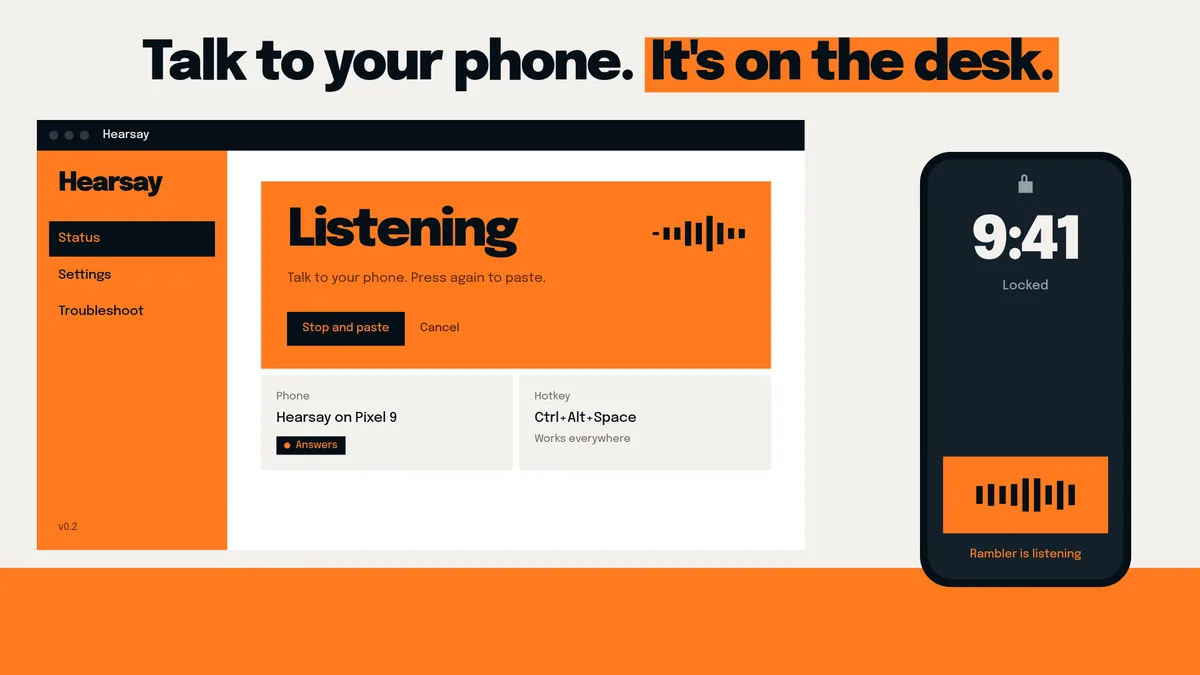
Hearsay doesn't do any speech recognition. All of that is Gboard's, which is why it only works on phones that have Rambler.
Getting it to press the mic key
The hardest part was getting the phone to press Gboard's mic key reliably, and it took me a few attempts.
The first version tapped a spot on the screen that I'd measured by hand for my phone. It worked until the keyboard looked even slightly different, and it would never work on anyone else's phone. So I moved to an accessibility service that looks for the mic key by the ID Gboard gives it and taps the middle of it. That turned up more problems. Gboard ignores the "click" an accessibility service normally sends, so the app has to fake an actual touch on the screen. And the service reports where the key will end up, not where it is right now, so a tap sent while the keyboard was still sliding up from the bottom of the screen hit the wrong thing. Now the app waits for the keyboard's animation to finish before it taps.
Leaning on Gboard's internal ID for the key has a cost. If Google renames it in an update, dictation stops starting until I update Hearsay. That's why there's a hearsay diagnose command that collects the names and positions of the keyboard's keys, so someone with a different Gboard can send me what I need.
Dropping adb for a direct connection
The prototype controlled the phone from the computer over wireless adb, Android's debugging connection. It worked, but it was a bad fit for something I use all day. Wireless debugging had to stay switched on all the time, a phone restart turned it off, and after the phone had been asleep for a while the first command could take anywhere from half a second to three seconds. Starting a dictation took 1.7 to 2.4 seconds.
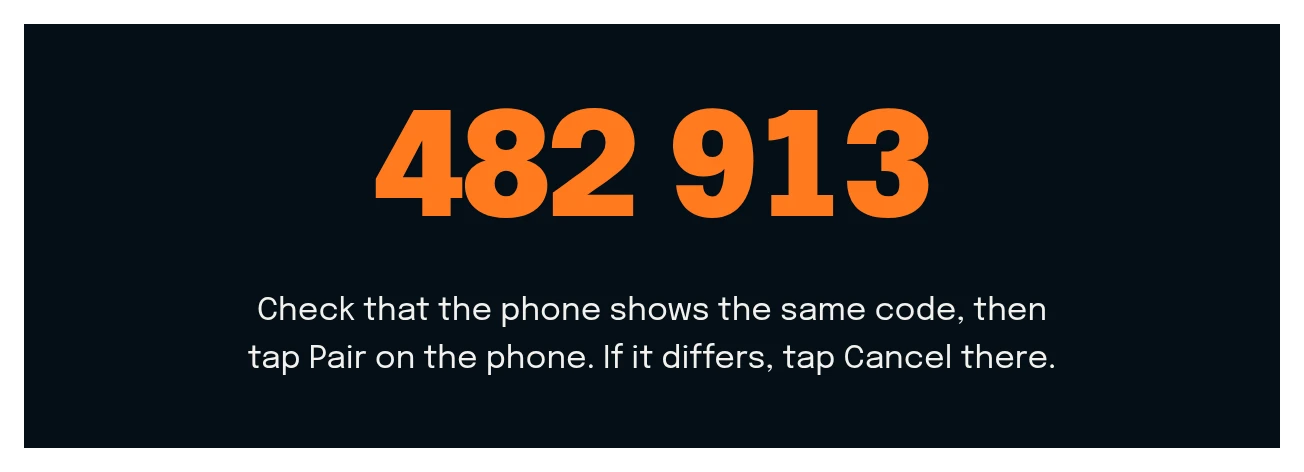
So the phone app got its own small server. The computer finds it on the local network by itself, and you pair the two once by checking that they show the same 6-digit code. After that, they only talk to each other over an encrypted connection, and the phone only answers computers it has been paired with.
That change made the biggest difference of anything I did. Starting from a locked phone dropped to 1.3 to 1.6 seconds and feels almost instant next to the adb version. It keeps working after the phone restarts without anyone opening the app, and nobody has to turn on Developer options to use it. Android 17 added a wrinkle: apps now need a new local network permission before anything on the Wi-Fi can reach them, and without it the app crashed when it tried to announce itself.
Making it installable for other people
Getting it working on my own phone and computer was maybe half the job. To make it usable by other people I added a setup window that walks you through installing the phone app (scan a QR code), allowing the key presser, pairing, picking the keyboard and doing a test dictation. The Windows and Linux builds are a single program each. The tray app checks GitHub for new releases and can update itself.
The window also has a Stats page with your words per day, how fast you talk and how much time you've saved compared with typing. It works that out from a short typing test that measures your own typing speed. Hearsay only stores numbers for that: when you dictated, how many words and for how long. It never saves what you said.
At launch some friction was left, and I was upfront about it on the site. The phone app wasn't on the Play Store, so you had to turn Play Protect off to install it, and Android made you allow a "restricted setting" before the key presser could run. The Windows build wasn't signed either, so Windows warned you about an unknown publisher.
Built with Claude Code
I built all of Hearsay with Claude Code and Opus 5.5, and when I posted it on Reddit a few people dismissed it as vibecoded. I don't think how it was typed matters much. I made the calls: dropping adb, pairing phones and computers instead of trusting the whole network, never storing what people say, and being honest about the rough edges in the README. I tested every build by dictating through it all day. The code is open, so anyone can read it and judge it for themselves. I wrote more about why I think this way in I don't care if you use AI.
How it was received
I posted the launch video on r/GooglePixel and r/pixel_phones on 9 November. The reaction was mixed, but most people were happy to have it, and two people reported that it works on their Pixel 9a and Pixel 11. Before that, it had only been tested on my Pixel 9 and a friend's Pixel 7.
People also asked for features. One person wanted a voice command to start dictation, like "Hey Google", so you wouldn't need the hotkey at all. The same person asked for support for Google's regular voice typing, the kind that shows words as you say them, instead of only Rambler.
Rambler is Google's feature, and Hearsay isn't affiliated with Google.


Dude, you’re at the bottom of my landing page.
Just book a call already if you’re that interested.
You scrolled all the way here.